UPDATE: Skin & upscale with generate workflow has been updated to account for the fact that FBCache is now deprecated. Also added some notes with model download locations.
Whether you're using Flux, Pulid or need to improve the the skin you're getting on Flux, this is the ultimate guide to getting the best skin using a Lora or SD3.
In this tutorial, we'll dive into techniques for achieving realistic skin tones and textures in your AI generated images, whether it's from FLUX, PULID,or even when upscaling!
In this video, you'll learn:
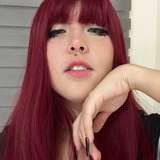
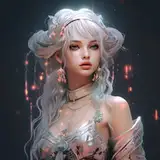
➡How to identify and address the "airbrushed" or "plasticky" skin texture common in AI-generated images.
➡How to use different AI models (like Project Zero and Stable Diffusion 3.5) to improve skin quality.
➡A practical Comfy UI workflow for inpainting and correcting skin tones.
➡How to upscale your AI-generated images without losing detail or introducing artifacts
➡Tips and tricks for segmenting and enhancing facial features.
Image Generator: https://kaijugen.com/
Prompt Database: https://promptcrafters.co/
Join the AI art community on Discord for tips, tricks, and inspiration!
🔈 Join my Discord server: https://discord.com/invite/sj8zJhnWhF
There's two more workflows coming, i'm just cleaning them up
Gayrat Vlasov
2025-05-18 16:51:58 +0000 UTC