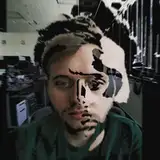
In this TouchDesigner tutorial we take a look how we can use webcam and Kinect as a particle source in particlesGpu from the palette for some funky interactivity, and learn some things about particlesGpu along the way. These techniques can be used with any video or pointcloud input! We also incorporate simple motion tracking and audio reactivity. Let me know if you'd like to see more particlesGpu tutorials from me!
Get the project file: https://www.patreon.com/posts/87259820
Function Store
2024-04-30 13:20:44 +0000 UTCSawyer Hollingsworth
2024-04-30 13:19:13 +0000 UTCFunction Store
2023-10-18 13:45:59 +0000 UTCKombo Chapfika
2023-10-18 13:03:12 +0000 UTCFunction Store
2023-08-06 19:54:06 +0000 UTCEduardo Molina
2023-08-06 19:42:27 +0000 UTC